BoxTales

An inventory app for boxes and storage

Every item has its box.

Take one photo of what’s inside a box and BoxTales writes up the list. The day you’re hunting for the drill, you’ll know exactly where it’s hiding.

Coming soon to AndroidComing soon to iPhone
  • No account
  • No subscription
  • Your data stays on your phone
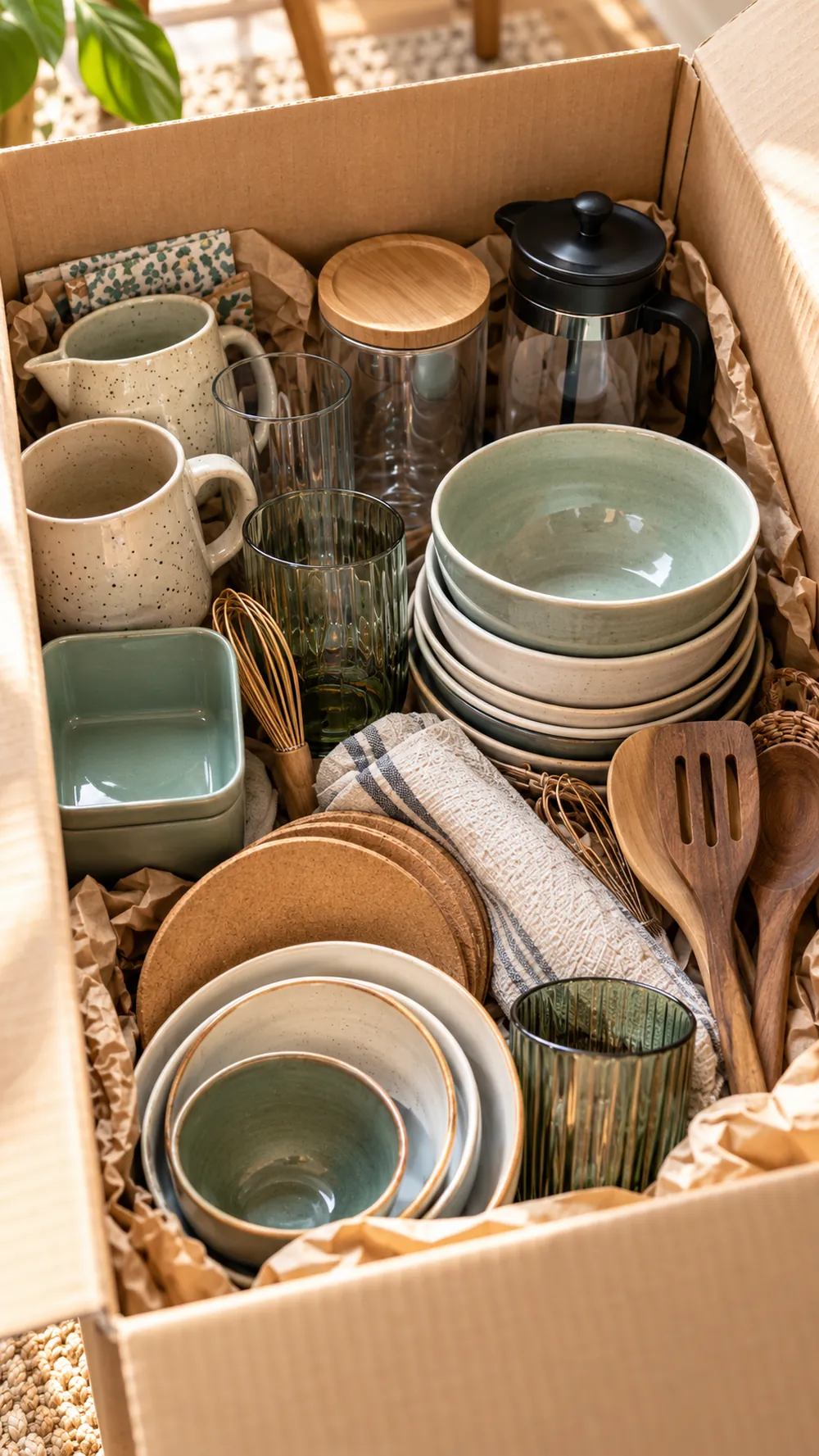
An open box full of dishes and kitchen utensils
Your photo
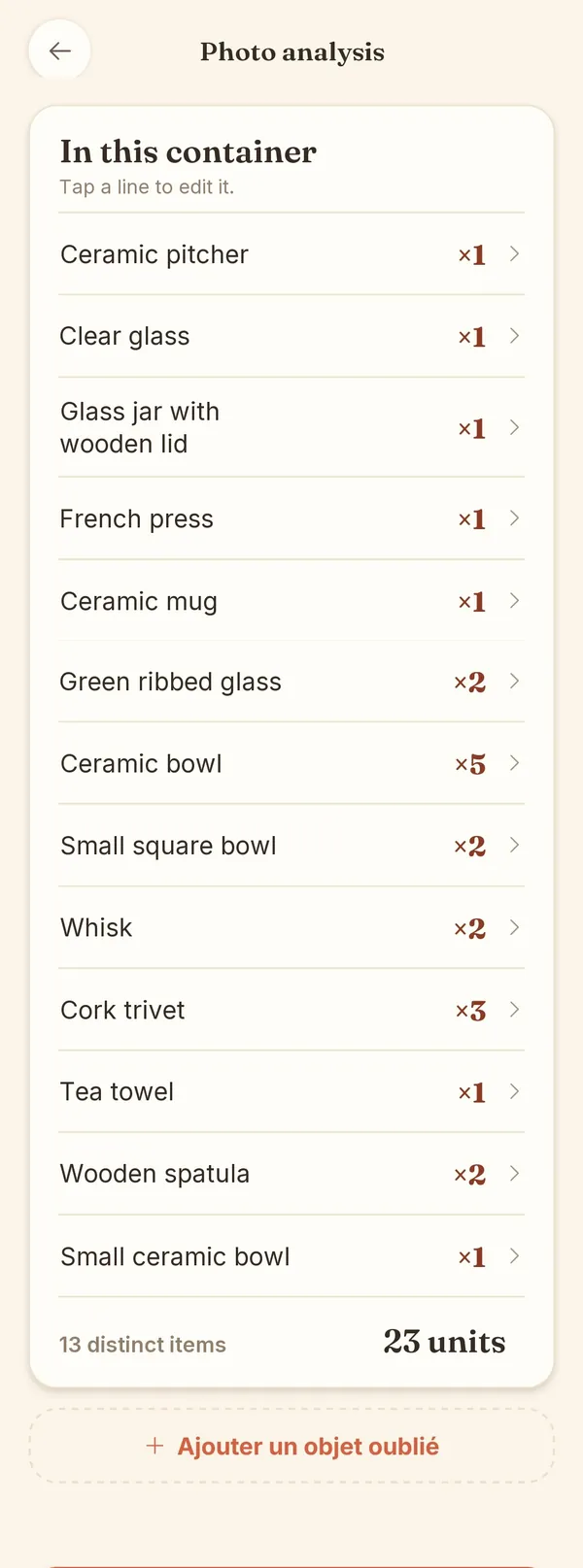
BoxTales screen: the list of items in the box, ready to confirm

23 itemsspotted in a single photo

  • The drill
  • The Christmas lights
  • The slow cooker
  • The HDMI cables
  • The spare teddy bear
  • The bed frame screws
  • The summer clothes

So long, box marked “MISC.”

You know the one: you open it four times a year and never find what you’re after.

Before

“It’s in a box. But which one?”

  • One word in marker for forty items
  • Three boxes opened to find one extension cord
  • What’s actually inside? Ask whoever packed it

After

  • 23 items listed and counted
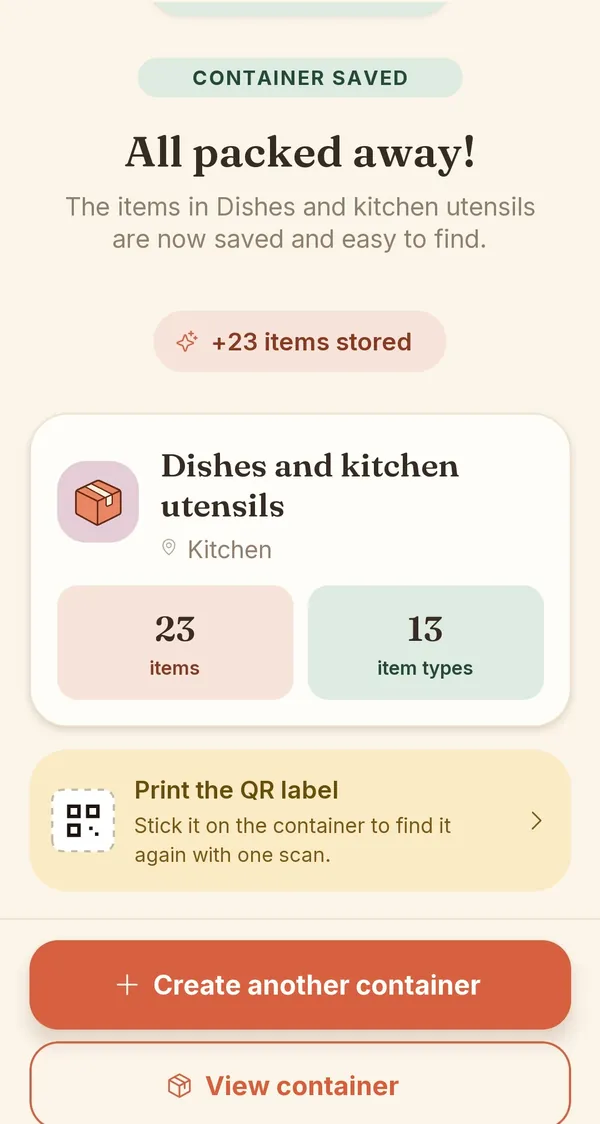
  • Filed under Kitchen, found in three keystrokes
  • A QR label ready to print
  • All from one photo
BoxTales screen: “All put away!”

How it works

Three steps. All put away.

One photo, a list to check, and everything has its place. The full demo takes fifteen seconds.
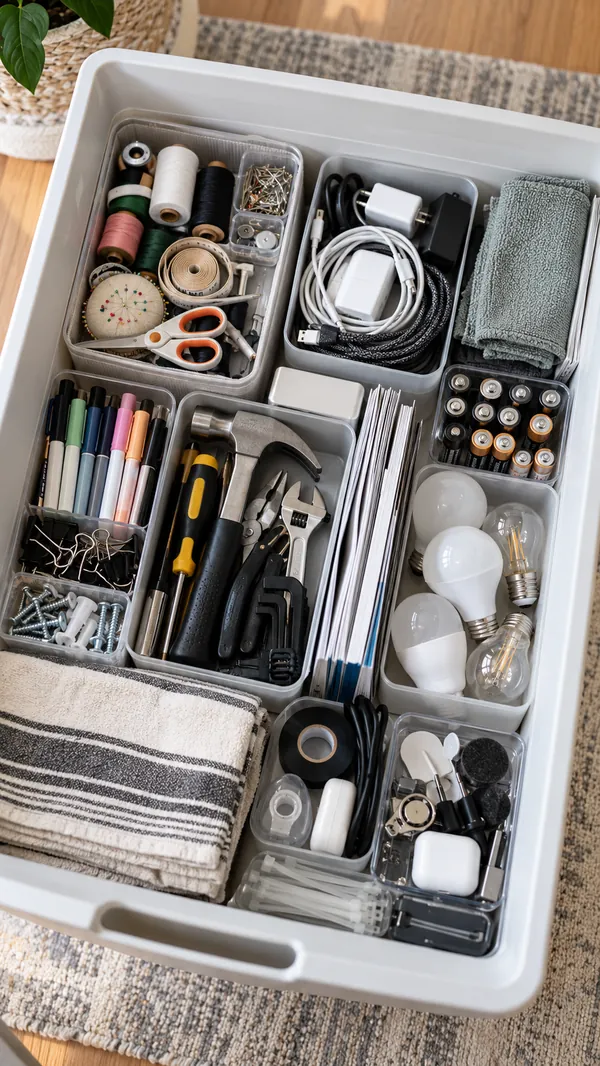
  1. A storage bin full of tools and supplies, seen from above

    Snap the inside

    Box, bin, drawer or suitcase. Take a photo on the spot or pick one from your gallery.
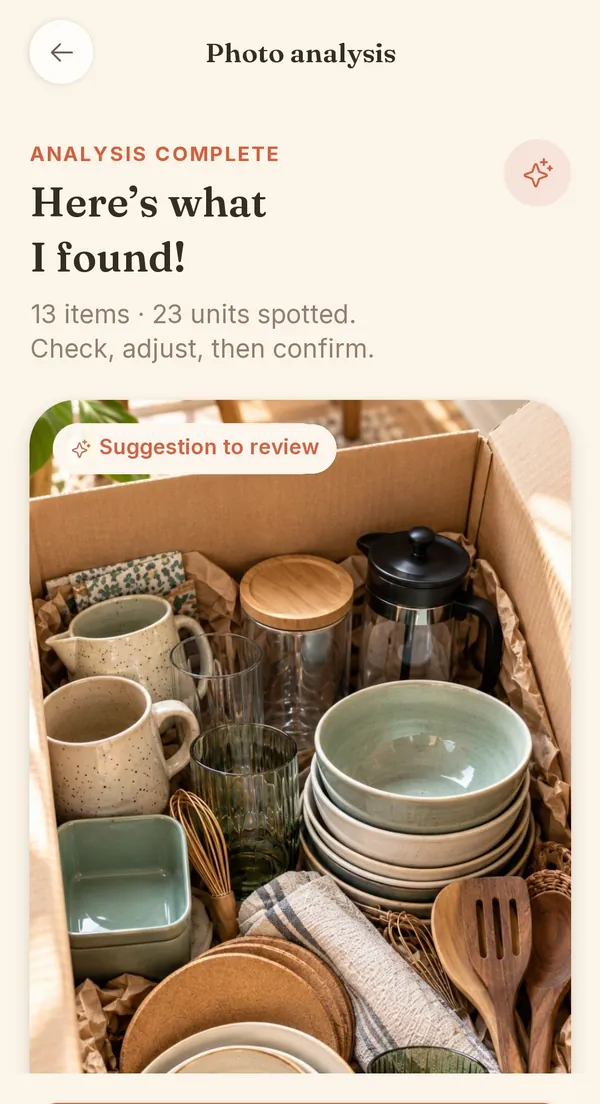
  2. BoxTales screen: “Here’s what I found!”

    AI lists, you check

    Items and quantities show up on their own. Something off? Tap the line to fix it. Nothing is saved until you say so.
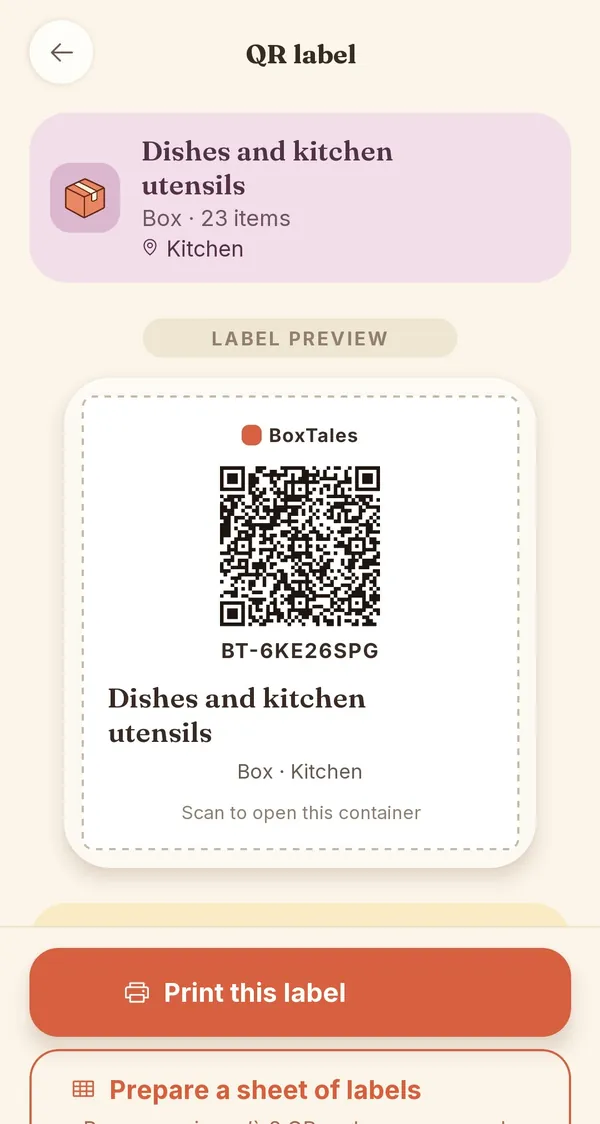
  3. BoxTales screen: a box’s QR label, ready to print

    Stick on the label

    Every box gets its own QR code to print. Point your phone at it and see what’s inside without opening it.
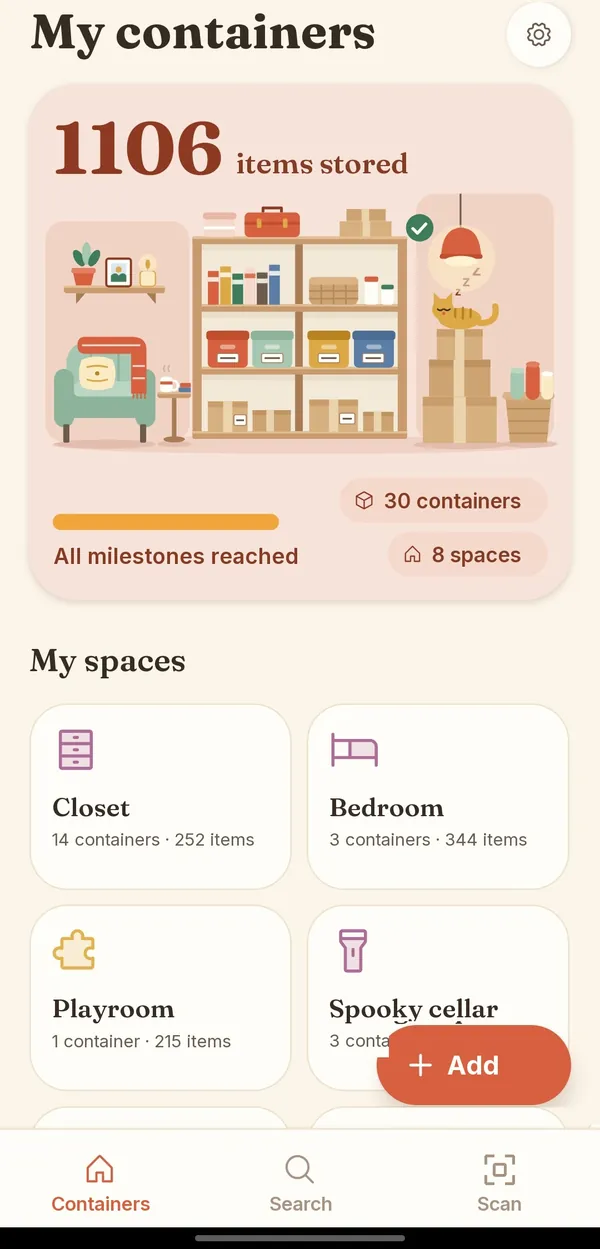
BoxTales home screen: the rooms of the house and their boxes
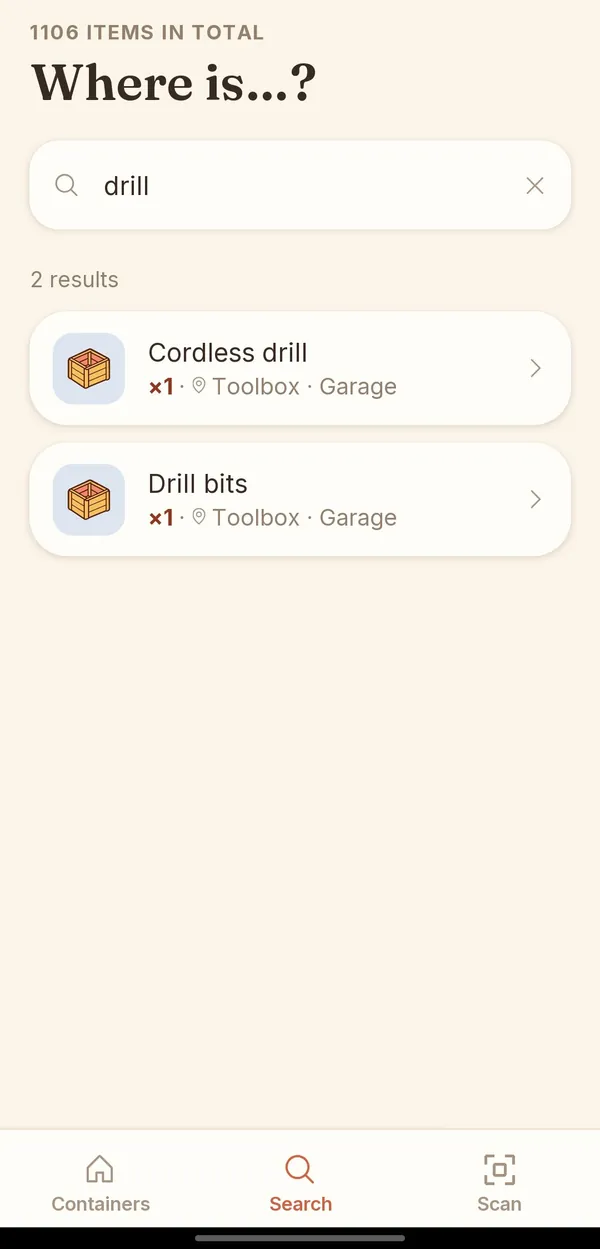
BoxTales screen: searching for a drill points to the toolbox in the garage

Find it

“Where’s the drill?”

Type the item’s name. BoxTales answers: the toolbox, in the garage. Case closed.

  • Garage
  • Basement
  • Closet
  • Attic
  • Storage unit
  • + your own

Your data

What’s in your closets is nobody’s business but yours.

BoxTales has no server storing your inventories. Your boxes and your items are saved on your phone, and nowhere else.
  • No accountNo sign-up, no email, no password. We don’t know who you are, and we like it that way.
  • No cloudNo copy of your inventories on our servers. An analysis result waits there 24 hours at most, just long enough to reach you.
  • No adsNo ad network, no audience tracking. Your closets are not a product.
  • 1 balanceThe gist of what our server keeps: your scan balance, tied to a technical ID, plus a fingerprint of your phone to prevent abuse.
BoxTales illustration: a shelf of neatly stored boxes and a cat asleep on top
Your inventories stay here.On your phone.

What leaves your phone: the photo you choose to analyze, sent to Google’s Gemini AI, which sends back the list of items, and the bare minimum needed to keep your scan balance. Your inventories never leave the device.

Pricing

No subscription. Scans when you need them.

One scan is one photo analyzed by AI. You pay once, through Google Play, and that’s it.

  • For a few containers10 scans€1.99
  • For a big declutter100 scans€9.99
  • One-time payment
  • No subscription
  • Manual entry is always free

Good to know: a scan is used as soon as the proposed list is usable, even if you then edit it. Your scans are tied to this installation of the app: they can’t be recovered if you uninstall it or switch phones.

You might be wondering…

What if the AI gets it wrong?

That’s expected. It suggests, you fix a name or a quantity, add anything it missed, then confirm. Nothing is saved until you say so.

Do I need to create an account?

No. No account, no email, no password.

Where do my inventories go?

Nowhere: they stay on your phone. Only the photo you choose to analyze goes through the AI. The details are in the privacy policy.

If I switch phones, do I keep my scans?

No, and we’d rather tell you before you buy: scans are tied to the app’s installation on that phone.

Is manual entry paid?

Never. You can put everything away by hand without buying a single scan. Scans just save you time.

What about iPhone?

It’s on the way. BoxTales is launching on Android first.

Put it away once. Find it every time.

Coming soon to AndroidComing soon to iPhone
BoxTales home screen
BoxTales screen: the result of a photo analysis
BoxTales screen: searching for an item